Public dataset · updated November 6, 2026
RMM pricing transparency across 14 products
Six of the fourteen source-dated records publish enough numeric pricing to calculate all four one-technician scenarios in this dataset. Four are quote-only, while the remaining four expose a free tier, source-available license, or limited published range. The comparison leaves unsupported cells blank instead of turning them into estimates.
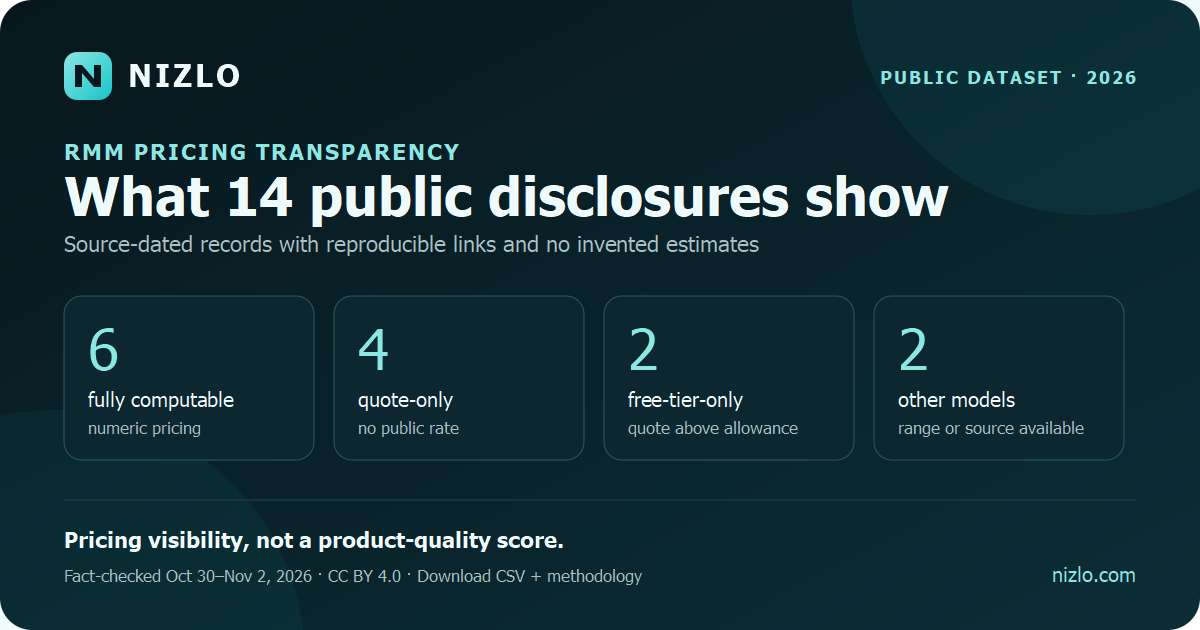
What the 14 disclosures show
Price visibility is not a product-quality score. Per-device, per-technician, flat, free-tier, source-available, and package-based products can include materially different capabilities and operating costs. These counts describe only what a buyer could reproduce from each vendor's public source on the recorded fact-check date.
Per-endpoint vs per-technician RMM pricing
The billing unit changes which input drives the subscription total. Compare models with the same technician count, endpoint count, billing term, minimum commitment, and mandatory add-ons before treating one published rate as cheaper.
| Pricing model | Core calculation | What can change the result | Dataset examples |
|---|---|---|---|
| Per endpoint | Managed endpoints × published device rate | Volume tiers, minimum fleet size, server/workstation differences, and required add-ons | Level; ManageEngine RMM Central; NinjaOne's limited published range; SuperOps' quote-only minimum |
| Per technician | Licensed technicians × published technician rate | Included technician count, annual commitment, PSA scope, support, and optional security or backup products | Atera MSP Pro; Syncro Core; Fathom Core above its free allowance |
| Flat workspace or plan | Published plan fee within the documented allowance | Technician limits, endpoint allowances, usage boundaries, and retained tools | Nizlo Core in this one-technician scenario |
| Free tier or source available | Published base fee can be zero within stated limits | Hosting, operations, support, code signing, security management, usage limits, and paid capacity above the allowance | MSP360 Community Edition; Action1; Tactical RMM |
| Quote only or package based | No reproducible public total | Volume, contract term, bundle composition, implementation, support, and negotiated terms | ConnectWise RMM; Kaseya VSA 10; Datto RMM |
Use the RMM pricing-model calculator to test endpoint and technician counts, then record non-subscription assumptions in the quote-comparison worksheet. The table above describes billing mechanics; it does not establish feature equivalence or total cost of ownership.
Normalized monthly subscription estimates
| Product | Published model | Visibility | 10 endpoints | 50 endpoints | 100 endpoints | 500 endpoints | Source |
|---|---|---|---|---|---|---|---|
| Fathom Free / Core | Free through 50 devices; then per technician | Numeric public | $0 | $0 | $109 | $109 | Vendor pricing |
| MSP360 Community Edition | Free through 50 endpoints | Free tier only | $0 | $0 | Not published | Not published | Vendor pricing |
| Level | First 10 free; then $2/device | Numeric public | $0 | $100 | $200 | $1,000 | Vendor pricing |
| Nizlo Core | Flat plan; unlimited RMM endpoints | Numeric public | $59 | $59 | $59 | $59 | Vendor pricing |
| Atera MSP Pro | Per technician; unlimited devices | Numeric public | $129 | $129 | $129 | $129 | Vendor pricing |
| Syncro Core | Per technician; unlimited endpoints | Numeric public | $129 | $129 | $129 | $129 | Vendor pricing |
| ManageEngine RMM Central | Free through 25 devices; annual device tiers | Numeric public | $0 | $99.58 | $178.75 | $641.25 | Vendor store |
| Action1 | First 200 endpoints free; quote above | Free tier only | $0 | $0 | $0 | Not published | Vendor licensing |
| Tactical RMM | Source-available and self-hosted | Source available | $0 license | $0 license | $0 license | $0 license | Vendor documentation |
| NinjaOne Endpoint Management | Tiered per device; exact quote varies | Range + quote | $37.50 | $187.50 | Not published | Not published | Vendor pricing |
| SuperOps Prime | Per endpoint; 150-endpoint minimum | Quote only | Quote | Quote | Quote | Quote | Vendor pricing |
| ConnectWise RMM | Package-based RMM pricing | Quote only | Quote | Quote | Quote | Quote | Vendor pricing |
| Kaseya VSA 10 | Varies by deployment, volume, and package | Quote only | Quote | Quote | Quote | Quote | Vendor pricing statement |
| Datto RMM | Tailored partner pricing | Quote only | Quote | Quote | Quote | Quote | Vendor pricing |
Tactical RMM cost context: use the Tactical RMM alternative comparison to connect the $0 base-license row to server hosting, maintenance, support, code signing, sponsorship, platform coverage, automation, remote access, licensing, and controlled-pilot assumptions. Recheck Tactical RMM's current documentation and license before relying on any cost or permitted-use conclusion.
Level pricing context: use the Level RMM alternative comparison to connect the source-dated Level row to endpoint-count assumptions, platform coverage, patching, automation, remote access, and controlled-pilot questions. Recheck the linked vendor source before relying on any amount.
Atera and SuperOps pricing context: use the Atera vs SuperOps comparison to connect the source-dated rows to per-technician versus per-endpoint billing, minimum fleet size, RMM and PSA scope, patching, remote support, and controlled-trial questions. Recheck both linked vendor sources before relying on any amount or minimum.
Small-business RMM buying context: use the RMM for small-business IT guide to connect source-dated prices to endpoint count, Windows coverage, patching, automation, remote support, reporting, technician capacity, and controlled-trial requirements.
NinjaOne and Syncro pricing context: use the NinjaOne vs Syncro comparison to connect the source-dated rows to per-device versus per-technician pricing, RMM and PSA scope, patching, endpoint coverage, remote support, automation, and controlled-pilot questions. Recheck both vendor sources before relying on any price.
NinjaOne and ManageEngine pricing context: use the NinjaOne vs ManageEngine comparison to connect the source-dated rows to quote-based versus public-tier pricing, trial scope, deployment, endpoint coverage, patching, remote support, APIs, and MSP-fit questions. Recheck both vendor sources before relying on any price.
ConnectWise RMM pricing context: use the ConnectWise RMM alternative comparison to connect the source-dated quote-only row to pricing visibility, package scope, trial terms, platform coverage, patching, automation, remote access, and small-MSP-fit questions. Recheck the vendor source before relying on commercial terms.
ManageEngine Endpoint Central MSP pricing context: use the ManageEngine Endpoint Central MSP alternative comparison to connect public pricing evidence to edition scope, trial terms, endpoint minimums, platform coverage, patching, remote access, deployment, APIs, and controlled-pilot questions. Recheck the linked vendor sources before relying on any price or commercial term.
NinjaOne alternative pricing context: use the NinjaOne alternative comparison to connect the source-dated NinjaOne pricing row to endpoint-count assumptions, platform coverage, patching, automation, remote access, support, trial terms, and controlled-pilot questions. Recheck the linked vendor sources before relying on any price or commercial term.
Syncro alternative pricing context: use the Syncro alternative comparison to connect the source-dated Syncro pricing row to per-technician economics, unlimited-endpoint assumptions, PSA scope, platform coverage, scripting, support, trial terms, and controlled-migration questions. Recheck the linked vendor sources before relying on any price or commercial term.
NinjaOne versus ConnectWise RMM pricing context: use the NinjaOne vs ConnectWise RMM comparison to connect the source-dated rows to pricing visibility, package assumptions, trial terms, endpoint coverage, patching, automation, remote support, integrations, and controlled-pilot questions. Recheck both linked vendor sources before relying on any price or commercial term.
Affordable RMM buying context: use the affordable RMM guide to connect source-dated subscription prices to endpoint count, technician capacity, retained tools, implementation, support, platform coverage, patching, automation, remote access, reporting, and controlled-pilot evidence. Recheck every linked vendor source before relying on a price.
Minimums and commitment context: a flat or per-technician price does not by itself prove that a plan has no device floor or annual commitment. Review Nizlo's published unlimited-endpoint RMM terms and month-to-month RMM terms as one documented example, then verify minimum quantities, billing cadence, renewal, cancellation, overage, and export terms directly with every vendor.
Continue the research: browse the RMM guide, checklist, calculator, and comparison library to connect price evidence with security, patching, automation, onboarding, migration, vendor review, and controlled-pilot workflows.
Use the calculations: open the free RMM tools, calculators, scorecards, and checklists to model endpoint cost, migration economics, vendor fit, and controlled-pilot evidence while preserving the source-dated price assumptions.
Small-MSP buying context: use the RMM for small MSPs guide to connect source-dated prices to endpoint count, technician capacity, customer separation, patching, scripts, remote support, reporting, retained tools, and a controlled pilot. Verify every current quote and scope before deciding fit.
IT-consultant buying context: use the RMM for IT consultants guide to connect source-dated prices to customer separation, technician capacity, monitoring, patching, remote support, reporting, retained tools, and a controlled pilot. Verify every current quote and scope before deciding fit.
Method and limits
- Prices and visibility statements were manually checked against the linked vendor pages on the date recorded in each CSV row.
- Estimates assume one technician, U.S. public pricing, no tax, and no optional add-ons.
- When a public annual and month-to-month rate both exist, the table uses the annual-billing monthly equivalent and the CSV preserves the month-to-month alternative.
- Blank CSV cells mean an exact public rate was unavailable for that scenario; they are not zero.
- Source-available software can still incur hosting, operations, support, code-signing, and security-management costs; $0 denotes only the base software license in this comparison.
- The dataset is licensed under CC BY 4.0. Cite the fact-checked date because prices change.
Pricing is only one selection input. Use the RMM software comparison hub to review platform coverage, patching, automation, remote support, integrations, and pilot fit alongside the source-dated price evidence. For small teams, the small-MSP RMM buying guide maps the price structures to fleet size, technician workflow, platform mix, and controlled-pilot criteria.